Why Choose Employee Screenshot Monitoring?
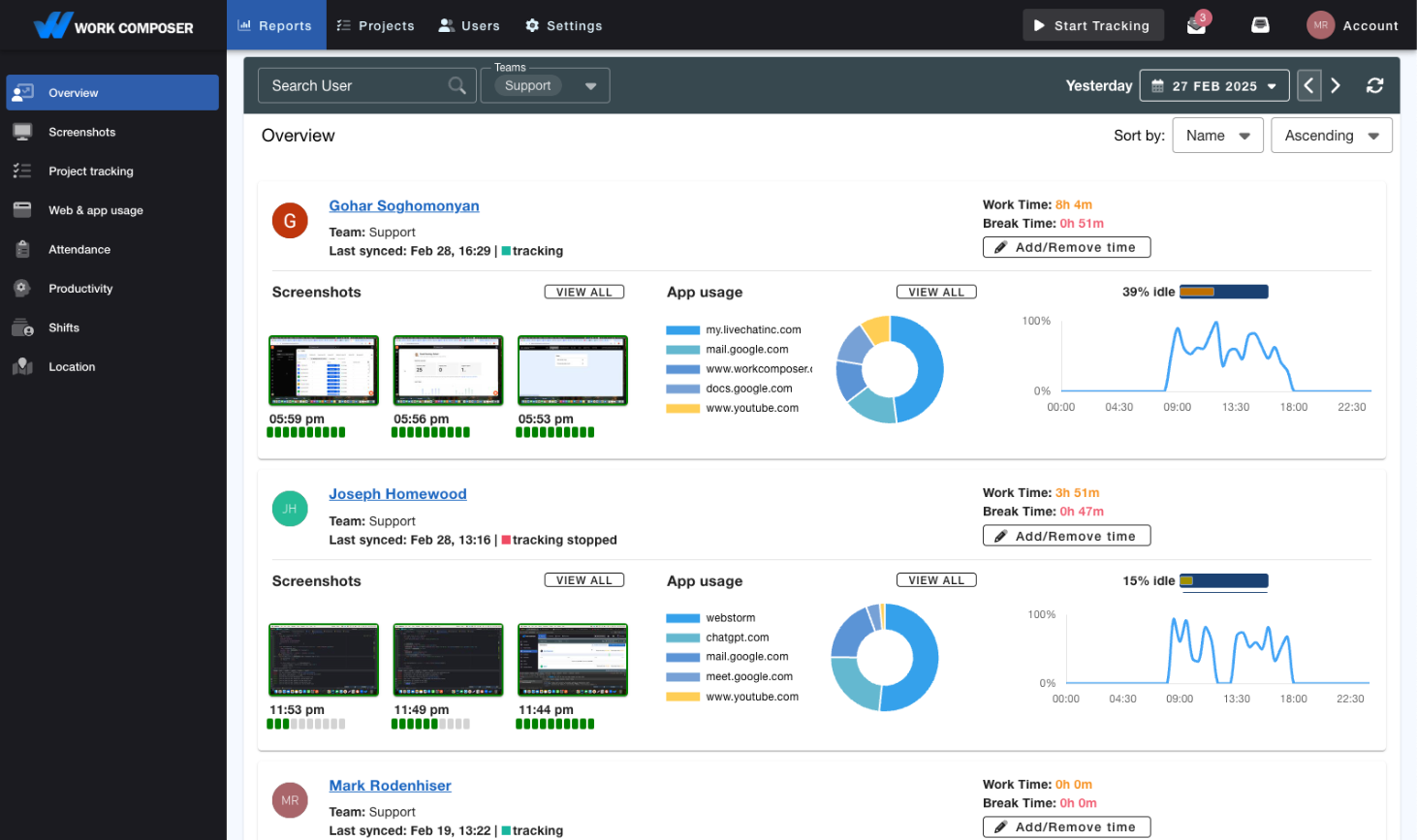
Screenshot monitoring is the automatic capture of periodic screenshots of an employee's screen during tracked work time, giving managers visual context for how work hours are spent. WorkComposer pairs screenshot monitoring with time tracking, app and website usage, and privacy controls like blurring—so you get accountability without micromanagement.
Have you ever considered how much more productive your team could be with the proper oversight? Imagine having complete visibility into their workday without the constant need for manual check-ins. Employee screenshot monitoring has become a game-changer for successful managers, business owners, and supervisors who want to move beyond randomly checking employees' computers—a practice that wastes valuable management time and resources.
Being agile and data-driven is crucial in today's fast-paced business environment. With the right screenshot monitoring solution, your team can achieve better results without wasting company resources, while you gain the insights needed to support their success.
Remote work monitoring makes tracking your distributed teams' activities easier and ensures productive work hours across time zones. Screenshot monitoring software allows you to accurately evaluate productivity and efficiency by showing exactly how employees spend their workday. Let's explore how to choose the right employee screenshot monitoring solution to take your team to the next level and unleash its full potential.
Key Features to Look for in Screenshot Monitoring Tools
Time-tracking software with employee screenshot-monitoring features is becoming increasingly common, making it challenging to choose the right one. To help you make an informed decision, we've compiled the essential features you should prioritize:
No Extra Cost
Look for software that includes the screenshot monitoring feature at no additional charge. Some providers advertise the feature but apply hidden costs that can significantly impact your budget.
Highly Customizable
Choose software that adapts to your unique business needs. You should be able to activate the feature for specific teams or users, adjust screenshot intervals, and configure settings that align with your workflow and management style.
Data Protection & Compliance
Data security is non-negotiable when implementing screenshot monitoring. Ensure the software complies with global compliance standards (GDPR, CCPA, etc.) and adheres to relevant regulations in your industry and region.
All-in-One Platform
Opt for an integrated platform that manages time tracking, project management, and productivity analysis in one place. This consolidation simplifies your workflow and allows you to focus on strategic initiatives rather than juggling multiple disconnected tools.
Downloadable Screenshots
Verify that the software allows you to download screenshots for any date range. This capability is invaluable for detailed workflow analysis, identifying distraction patterns, and maintaining comprehensive records.
Excellent Customer Support
Quality customer support is critical for smooth implementation and ongoing use. Select software that provides prompt, efficient assistance through multiple channels—ensuring you can get help exactly when you need it.
WorkComposer: Your Ultimate Solution for Employee Monitoring
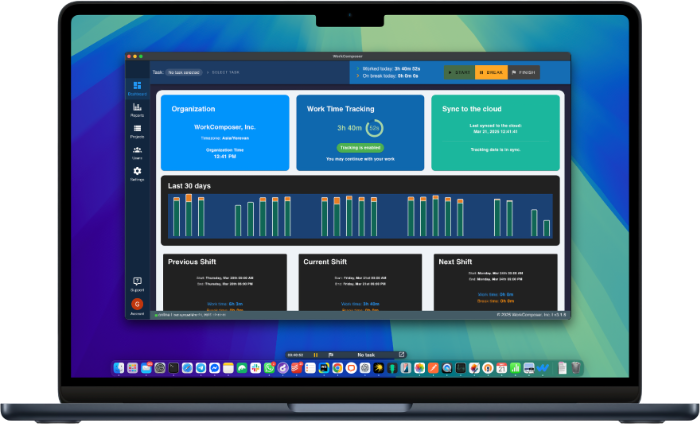
Are you still seeking an effective time-tracking tool with comprehensive employee screenshot-monitoring capabilities? Look no further! WorkComposer is the solution you need to boost productivity while maintaining trust and transparency. Maintaining high productivity levels and ensuring efficient time use is crucial in today's competitive landscape. The employee screenshot monitoring feature provides valuable insights into your team's work habits, enabling you to identify areas for improvement and celebrate successes.
Customizable Monitoring
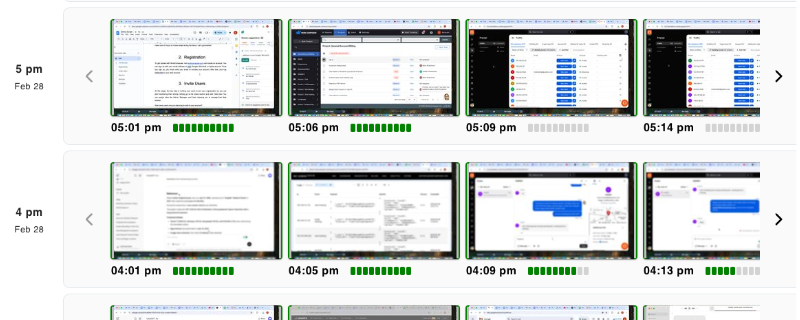
WorkComposer is an all-in-one software platform with various useful features. Its screenshot monitoring feature is highly configurable and can be customized to match your operational needs precisely.
- Default screenshot interval: every 5 minutes
- Adjustable to as frequent as every 3 minutes
- Customize settings organization-wide or per-user
- Flexible configuration for different teams and roles
Screenshot Blurring for Privacy (available on Premium)
To maintain privacy standards while ensuring productivity, WorkComposer offers an organization-wide screenshot-blurring feature on the Premium plan. This lets you see which applications or websites an employee has accessed without revealing sensitive or personal content—striking the perfect balance between oversight and respect for privacy.
Data Protection and Compliance
With WorkComposer, you can be confident that your data is safe and secure. We handle your data with the highest level of care in compliance with global standards including GDPR and other regional regulations. All screenshots are securely stored in encrypted AWS cloud services for one year, after which they are automatically cleared to ensure secure and compliant data management.
Downloadable Reports
In addition to other comprehensive reports, you can download screenshots from WorkComposer for any date range you need. The software features a straightforward, user-friendly interface that makes accessing and analyzing your data simple and efficient.
Responsive Human Support
Have questions or need assistance? Message us anytime and a real person on our support team—never a bot—will help you with your queries, guiding you through the necessary steps or pointing you to the right resources. We read every message, and if you leave your email we'll reply within a few hours on working days.
External Storage Support
Store employee screenshots in your own AWS S3 or SFTP infrastructure. Meet compliance requirements and maintain complete data sovereignty with enterprise-grade external storage options. This flexibility ensures you have full control over where your monitoring data resides, perfect for organizations with strict data governance policies.
Take the Next Step
Implementing a screenshot monitoring system should not be about policing your employees—it should be about empowering them. The goal is to help your team manage their time more effectively, identify areas where they need support, and celebrate their successes.
With WorkComposer, you're getting one of the easiest and most powerful computer monitoring solutions available. Our screenshot tracking runs seamlessly in the background, capturing workplace activity effortlessly while maintaining privacy and compliance standards. Used to use Toggl? See what changes when you add screenshots and activity reporting.
Screenshot Monitoring FAQ
What is screenshot monitoring?
Screenshot monitoring is the automatic capture of periodic screenshots of an employee's screen during tracked work time, giving managers visual context for how work hours are spent alongside time and activity data.
How often does WorkComposer take screenshots?
The screenshot interval is configurable. You can set the frequency organization-wide or per user, and optionally randomize it. Screenshot capture can also be turned off entirely for specific teams or roles.
Can screenshots be blurred for privacy?
Yes. On the Premium plan, WorkComposer offers organization-wide screenshot blurring, so you can see which applications and websites were used without exposing sensitive on-screen content. The blur level is configured for the organization by an administrator.
How does WorkComposer protect employee privacy?
Employees can be given access to view their own screenshots and time data. Privacy is protected through organization-wide screenshot blurring (available on Premium), administrator-controlled retention, and the option to store screenshots in your own external infrastructure — not through individual employees deleting screenshots.
Where are screenshots stored?
By default, screenshots are stored encrypted in WorkComposer's cloud. Organizations that need data sovereignty can route storage to their own AWS S3 or SFTP infrastructure.
Explore More of WorkComposer
Time, activity, and screenshots in one tool.
Toggl alternative with screenshots →Toggl has no screenshots — see the difference.
Employee accountability →Build trust through transparent oversight.
Track employee hours →Accurate hours, automatically.
See plans and pricing (from $3.99/user/month) or start a free 7-day trial.