How a Services Firm Could Improve Project Profitability
An illustrative look at how a consulting firm could catch unprofitable projects early and optimize resource allocation using real-time project profitability tracking and budget alerts.
Illustrative scenario. This is a composite example based on typical WorkComposer deployments — not a specific named customer. The company, figures, and quote are illustrative and show how the product is used, not guaranteed results.
Illustrative outcomes for a scenario like this
Scenario Profile
Picture a management consulting firm specializing in digital transformation and business-process optimization. With around 55 consultants, project managers, and analysts, it runs 25–30 concurrent client engagements spanning fixed-price projects and time-and-materials contracts.
- Team Size
- ~55 people
- Engagements
- 25–30 concurrent
- Contract Types
- Fixed-price & T&M
- Key Need
- Project visibility
The Challenge
Invisible Profitability Problems Eroding Margins
- Blind Spots in Project Economics
The firm discovered profitability only after projects ended, often 3-6 months too late. By the time they realized a project was unprofitable, they had already burned through budgets and couldn't recover losses. 30% of projects finished in the red.
- Scope Creep Without Visibility
Fixed-price projects routinely exceeded estimated hours. Clients requested "small changes" that turned into major work. Without real-time tracking, project managers couldn't identify scope creep until budgets were exhausted and margins destroyed.
- Resource Allocation Inefficiencies
Senior consultants (high hourly cost) were assigned to tasks that junior analysts could handle. Without visibility into actual time spent by role and rate, the firm consistently over-allocated expensive resources, crushing project margins.
- Inaccurate Project Estimates
Sales team quoted projects based on guesswork rather than historical data. Without visibility into how long similar projects actually took, estimates were consistently 40-50% under reality, leading to unprofitable contracts and strained client relationships.
The Solution
Real-Time Project Profitability Tracking
The firm implemented WorkComposer to gain real-time visibility into project profitability, resource allocation, and budget burn rates across all 55 consultants and 25-30 active engagements.
- 1. Real-Time Project Profitability Dashboard
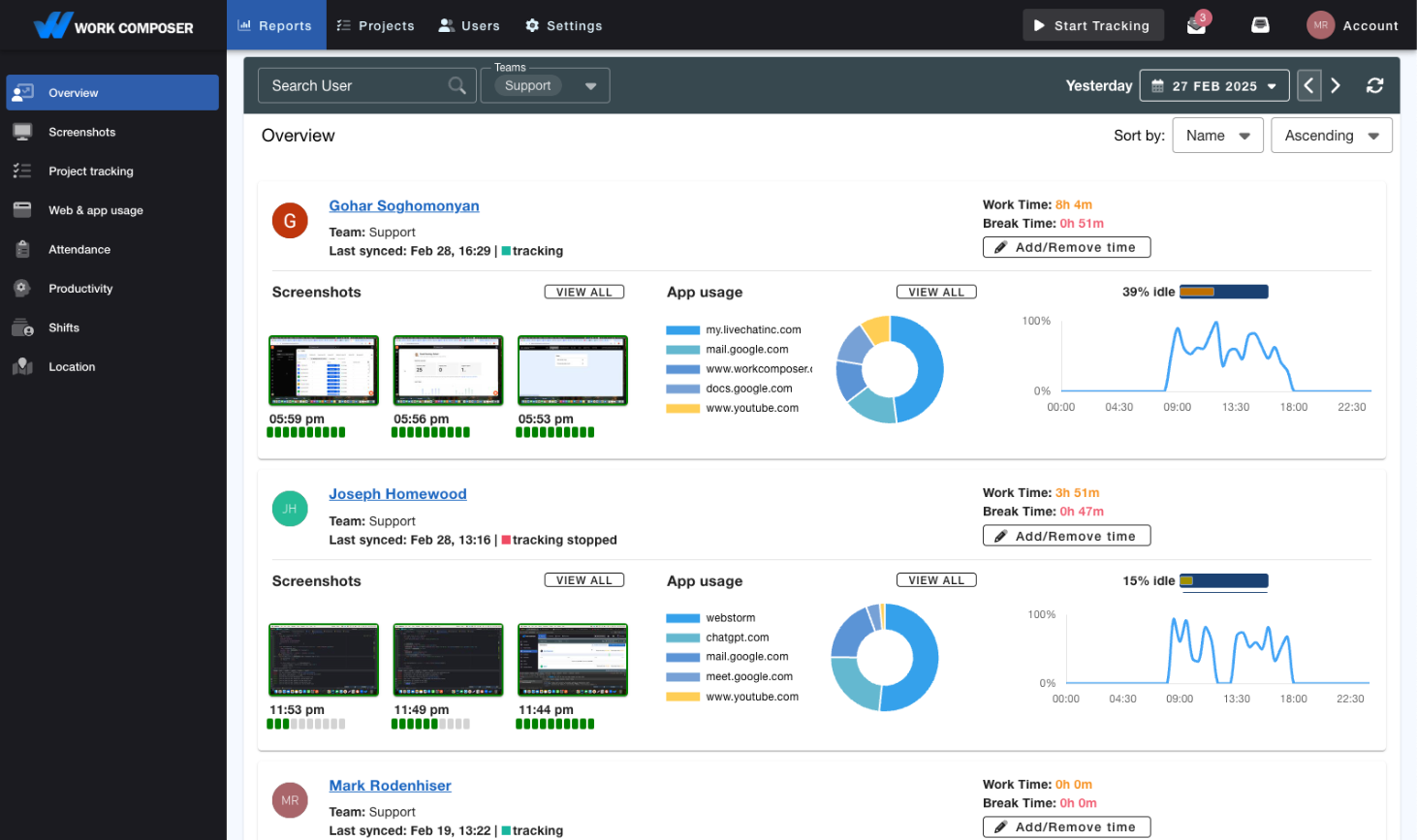
- Project managers gained instant visibility into profitability for every active project. The dashboard showed hours consumed vs. budgeted hours, actual cost vs. revenue, and projected margin at completion. Warning alerts triggered when projects approached budget thresholds.
- 2. Automatic Time-to-Project Allocation
- Consultants' time was automatically allocated to specific client projects and tasks. At the end of each day, they reviewed and confirmed allocations in seconds. This eliminated timesheet guesswork and ensured every billable hour was captured and attributed correctly.
- 3. Resource-Rate Optimization Insights
- The system tracks which consultants (by role and rate) work on which tasks. Analytics like this often reveal that senior consultants spend a meaningful share of their time on work junior analysts could handle — a hidden source of margin erosion that resource reallocation can fix.
- 4. Historical Data for Accurate Estimates
- The firm built a library of historical project data showing actual hours by project type, phase, and deliverable. Sales teams used this data to create accurate estimates, reducing estimation errors from 45% to 8% and ensuring profitable contract terms.
Implementation
Strategic Rollout Over Three Weeks
Configured WorkComposer with all active client projects, budget allocations, and billing rates by consultant role. Established project templates for common engagement types. Set up profitability alert thresholds at 75%, 90%, and 100% of budget.
Launched pilot with 3 project teams (15 consultants). Trained on automatic time allocation, project selection, and daily time confirmation. Project managers learned to monitor profitability dashboards and respond to budget alerts.
Rolled out to all 55 employees. Sales team trained on using historical data for project estimates. Leadership gained executive dashboard showing portfolio-wide profitability metrics and resource utilization across all projects.
In a scenario like this, the first month typically surfaces a few projects heading toward losses. Early detection lets PMs renegotiate scope, reallocate resources, and course-correct before the losses accumulate.
Potential Results
The Kind of Impact a Firm Could See
The outcomes below are illustrative of what firms in this situation tend to aim for — not measured results from a specific customer.
- ↑Higher Project Margins
- Better resource allocation, early intervention on troubled projects, and proactive budget monitoring can lift average project margins across the portfolio.
- ↓Fewer Unprofitable Projects
- Real-time profitability visibility lets project managers catch and fix problems early, so far fewer projects finish in the red than when issues only surface after the fact.
- $More Profit Without New Clients
- Even a few points of margin improvement on existing revenue flows largely to profit — gains that come from running current projects better, not from winning new clients.
- 📊More Accurate Estimates
- A library of historical actuals by project type lets the sales team quote from data instead of guesswork — reducing estimation errors and the scope disputes they cause.
- ⚡Better Resource Utilization
- Reallocating senior consultants away from junior-level tasks frees high-cost capacity for high-value work while junior analysts take appropriate tasks at lower cost.
- 🎯Less Scope Creep
- Real-time budget visibility lets PMs spot scope creep as it happens, making client conversations about additional work data-driven and supporting proper change orders.
Why services firms take this approach
Many firms only learn a project lost money after it's over. The appeal is seeing profitability in real time and fixing problems before they destroy margins — turning on the lights in a room you've been working in blind.
This scenario is illustrative. To see your own portfolio's profitability picture, the place to start is a free trial.
Related Solutions
Explore How WorkComposer Can Help Your Business
Project-Based Work
Track project budgets and profitability in real-time with automatic time allocation.
Professional Services
Optimize consulting profitability with resource allocation insights and budget tracking.
Billable Hours Tracking
Capture every billable minute and maximize revenue with accurate time tracking.
Ready to transform your team's productivity?
Join 200,000+ users tracking time smarter. Start your free trial today—no credit card required.
- Setup takes less than 5 minutes
- Full access to all features
- Cancel anytime, no questions asked
- Dedicated support to get you started