Everything you need to see how work really happens
WorkComposer tracks time accurately, shows where the day goes, and keeps your data secure — so you can manage by facts, not guesswork.
No credit card required · Setup in under 5 minutes
- 4.8★
- on Capterra
- 10M+
- hours tracked
- Win · Mac · Linux · Web
- works everywhere
- Free 7-day trial
- no credit card
Track time accurately
Hours that log themselves
No timers to start or stop. WorkComposer records real work time automatically — whether your team is online, offline, or away from the desk.
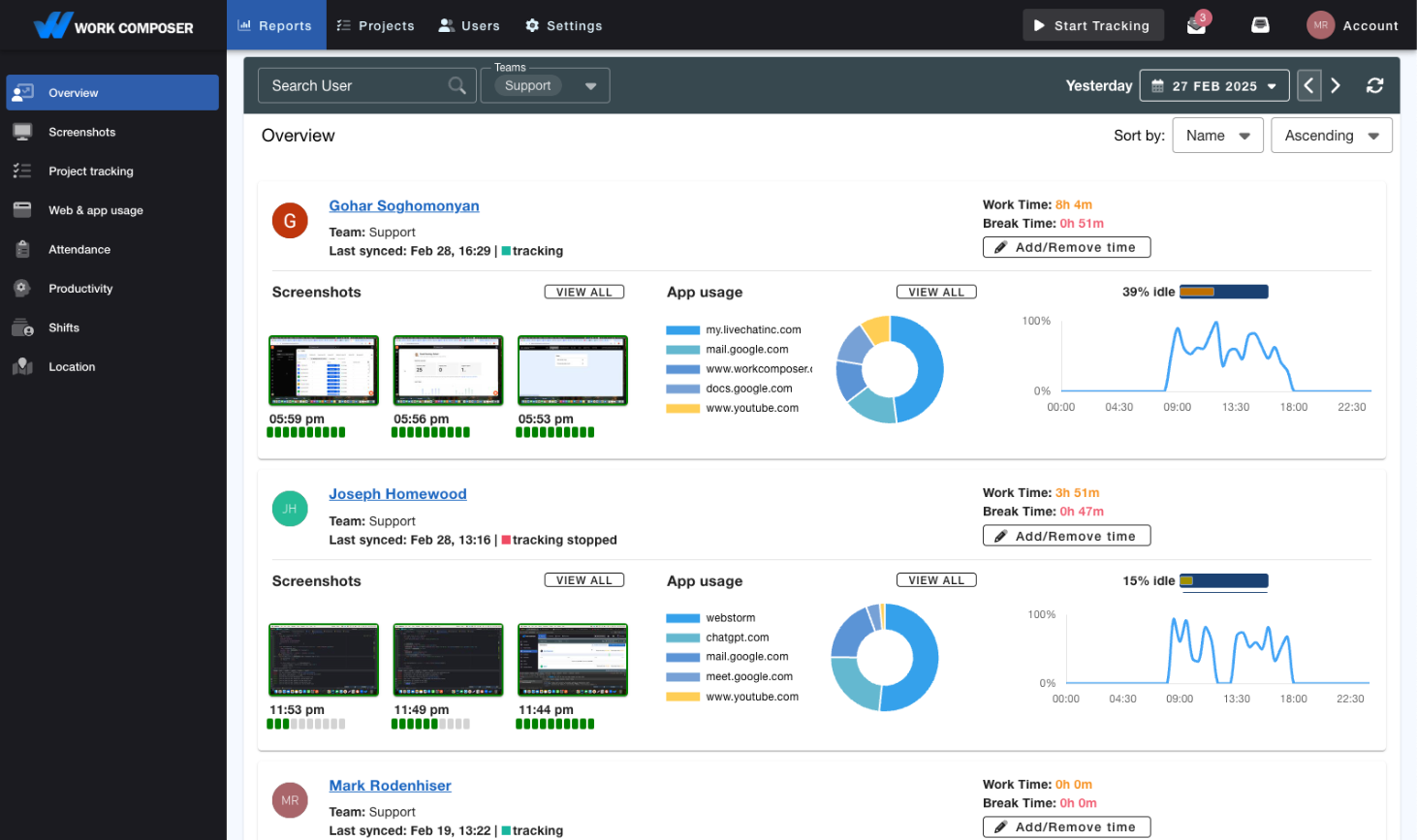
Work Time Tracking
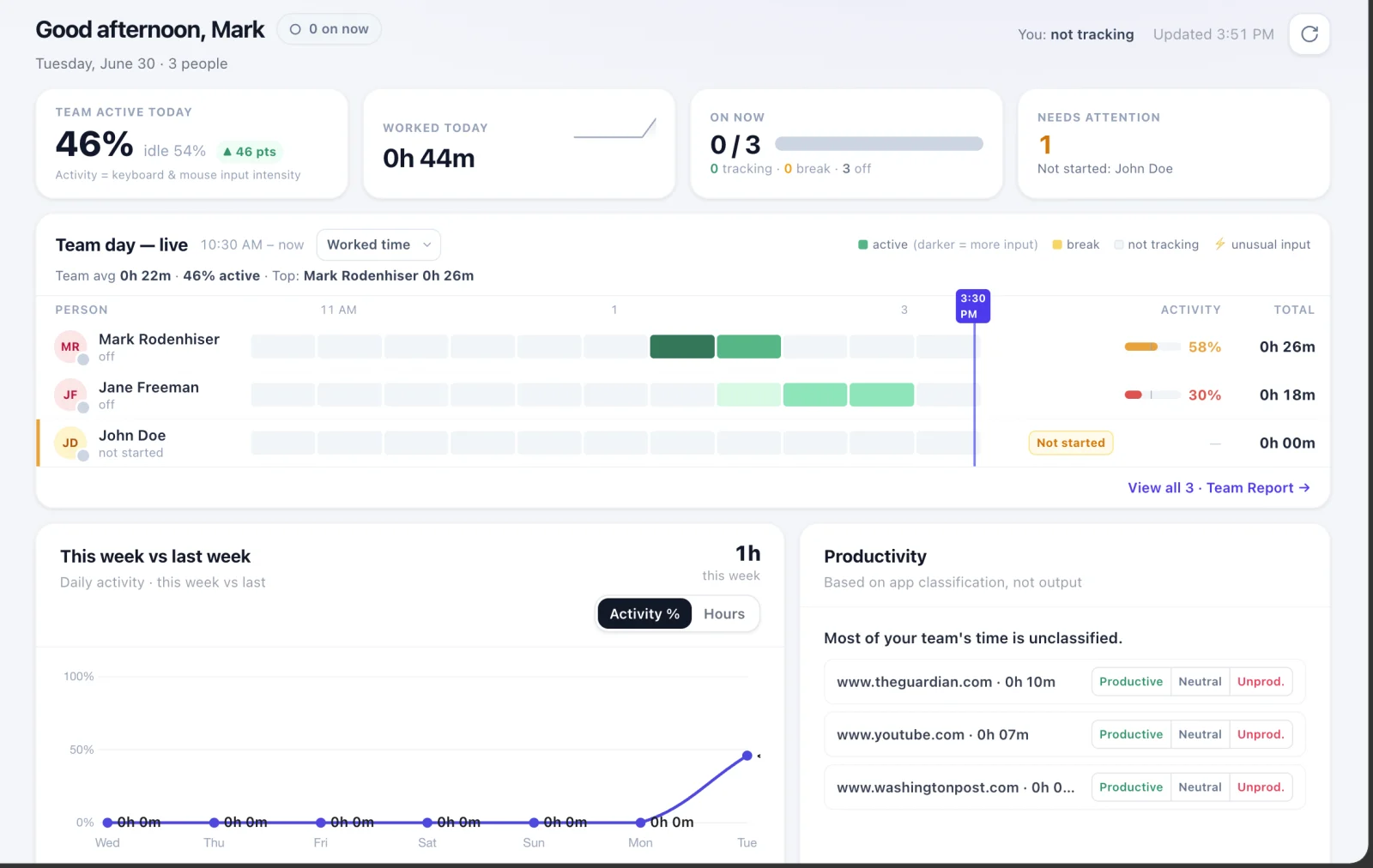
WorkComposer automatically logs work hours when the computer is active — no need to remember to start or stop anything.
- Smart break detection switches to break mode when someone steps away.
- Offline tracking keeps recording without a stable connection.
- Away time tracking captures work done off the computer.

Silent Mode
Time tracking that stays out of the way. In Silent Mode, work and break detection run fully in the background with no buttons to press.
- Automatic work & break with no app to turn on or off.
- Minimal interaction — start, stop and break controls are hidden.
- Extended Silent Mode shows just a small app icon for compliance.
Understand how work happens
See where the day actually goes
Screenshots, app and website usage, and AI insights turn raw activity into a clear picture of productivity — across the whole team or per person.
Web & App Tracking
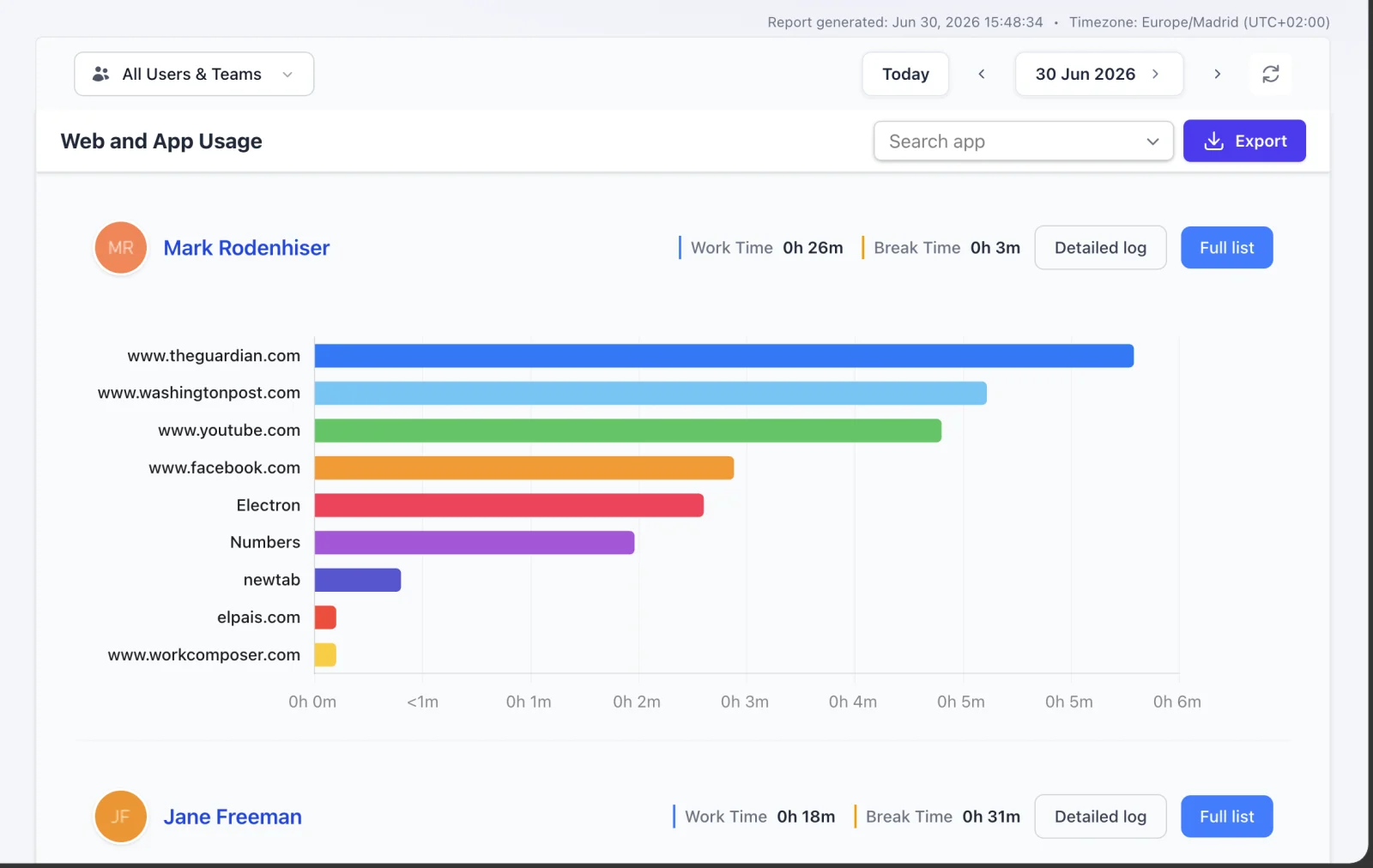
See which apps and websites the time goes to, then sort them into productive and unproductive so reports reflect reality.
- App & URL tracking highlights the most-used tools and sites.
- Productive / blacklisted sites drive automatic break mode.
- Detailed reports to review and adjust with the team.
Automatic Screenshots
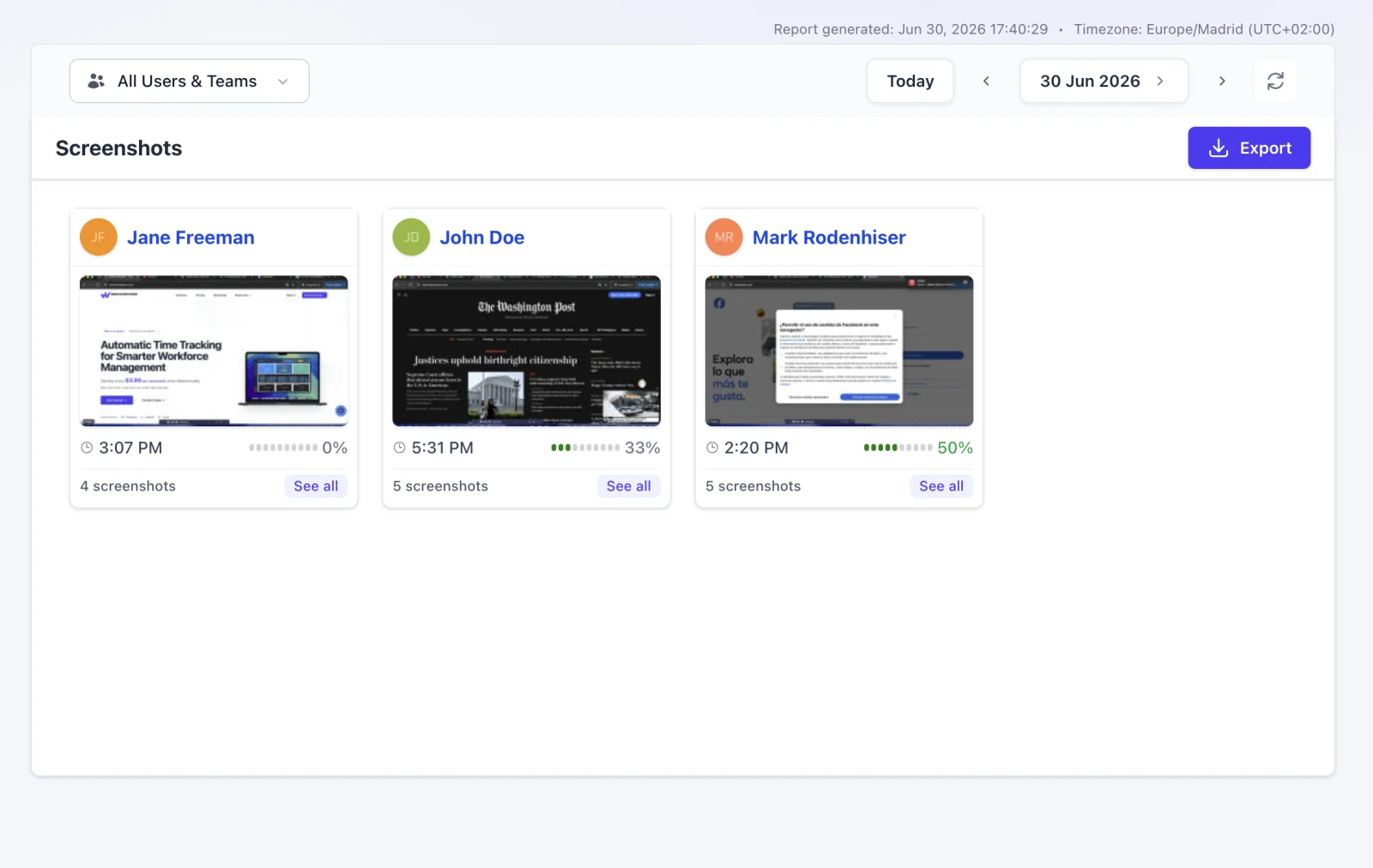
Optional screenshots show work progress over the day. Turn them on for everyone or select individuals — and blur them when privacy matters.
- Blur for privacy — see the big picture, not the small details.
- Custom intervals as frequent as every 3 minutes, or randomized.
- AES-256 encrypted — store with us or on your own storage.
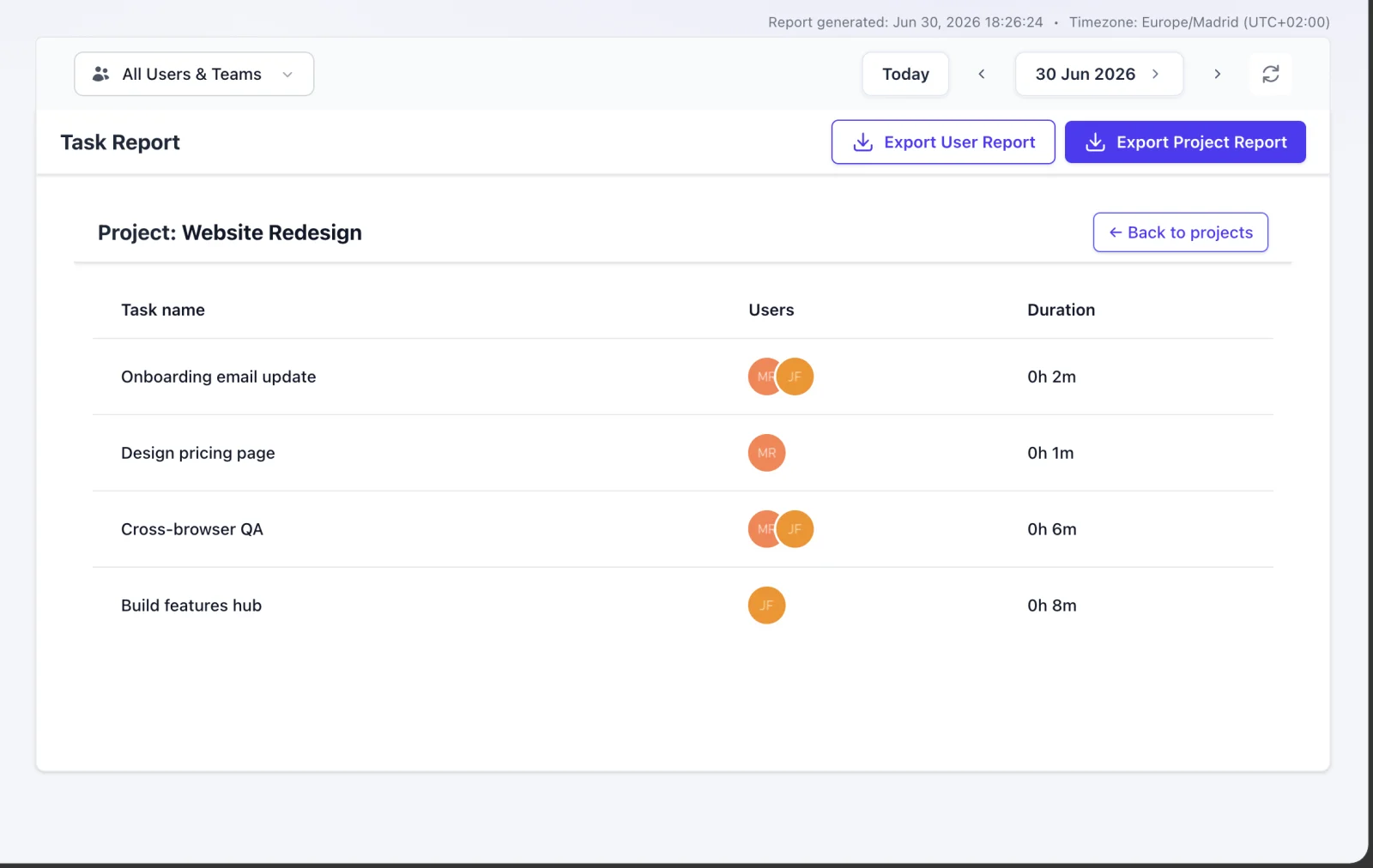
Project Management
Create tasks, see the time spent on each one, and turn it into reports — project oversight built into the same tool that tracks the time.
- Task management to coordinate projects and meet deadlines.
- Time per task — pick a task in the app and switch as you go.
- Project & user reports you can export and analyze.
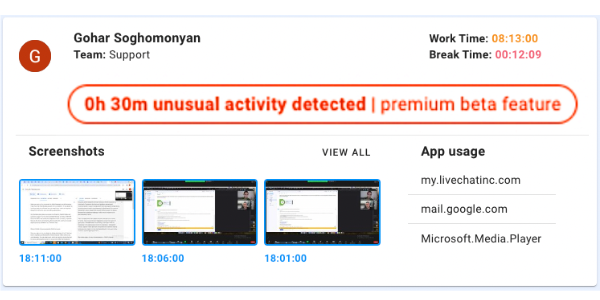
Activity Analysis
WorkComposer automatically flags unusual activity — like unusually long work sessions — and breaks each day down into productive and unproductive time.
- Unusual-activity flags surface days that stand out, like extended non-stop sessions.
- Productive vs. unproductive time broken down per person.
- Activity reports you can review and export.
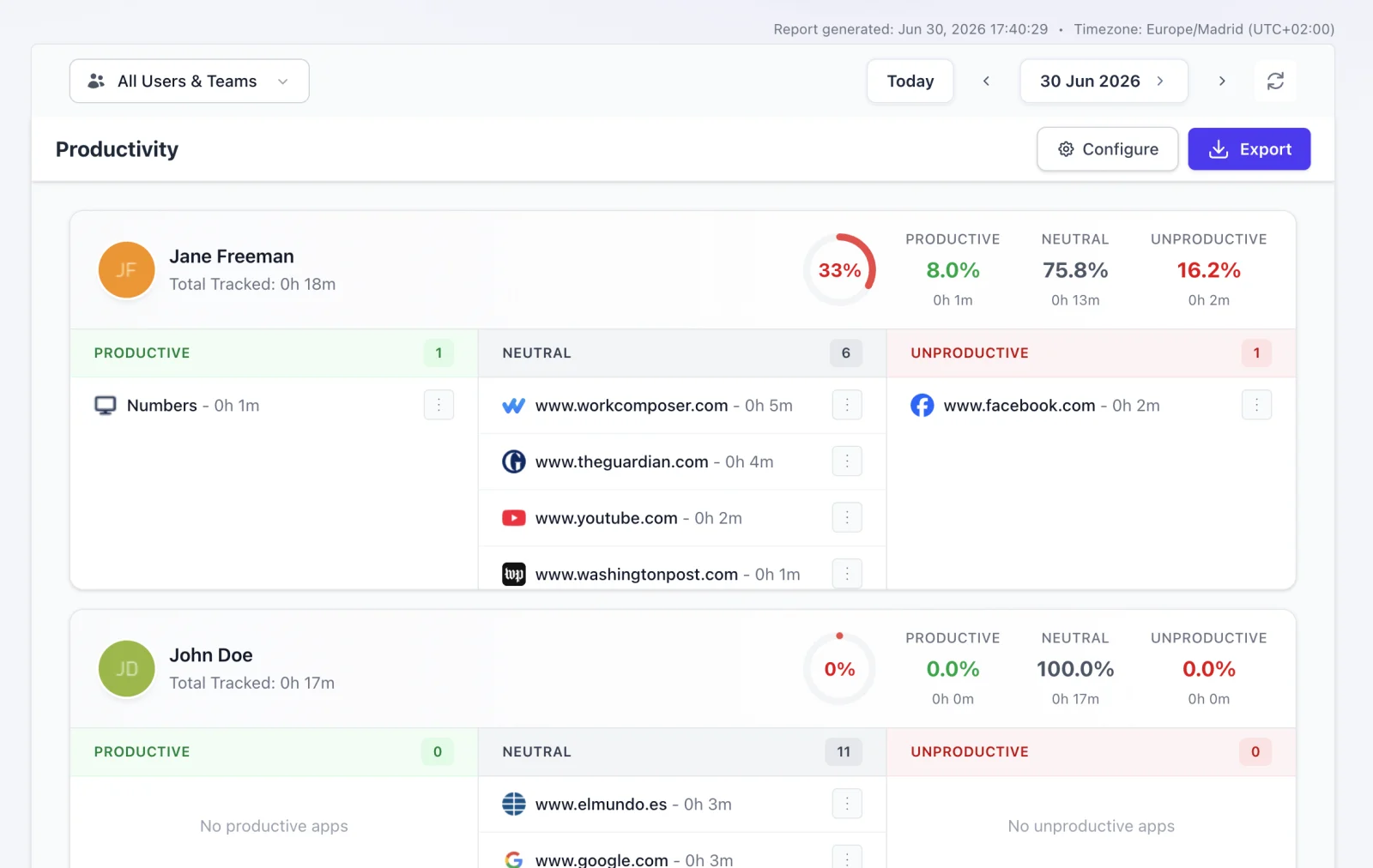
Unusual Activity Detection
Every website and program is tracked and rated, so you can see each person’s productivity and catch the days that don’t look right.
- URL & app tracking categorized as productive or unproductive.
- Usage-duration reports show exactly where time went.
- Productivity ratings per person, at a glance.
Trust & security
Built to keep your data safe
Enterprise-grade encryption, redundant databases, and continuous backups protect your data — in transit and at rest.

Privacy & Security
Security is built in, not bolted on. Communication is TLS-encrypted, data at rest is AES-256 encrypted, and your records are backed up continuously.
- TLS-encrypted communication across web, apps and APIs.
- Replicated, redundant databases across data centers.
- Continuous data backup for fast recovery.
Ready to transform your team's productivity?
Join teams tracking time smarter. Start your free trial today—no credit card required.
- Setup takes less than 5 minutes
- Full access to all features
- Cancel anytime, no questions asked
- Dedicated support to get you started